
Why DocSuite Stands Out as an Electronic Document Management System
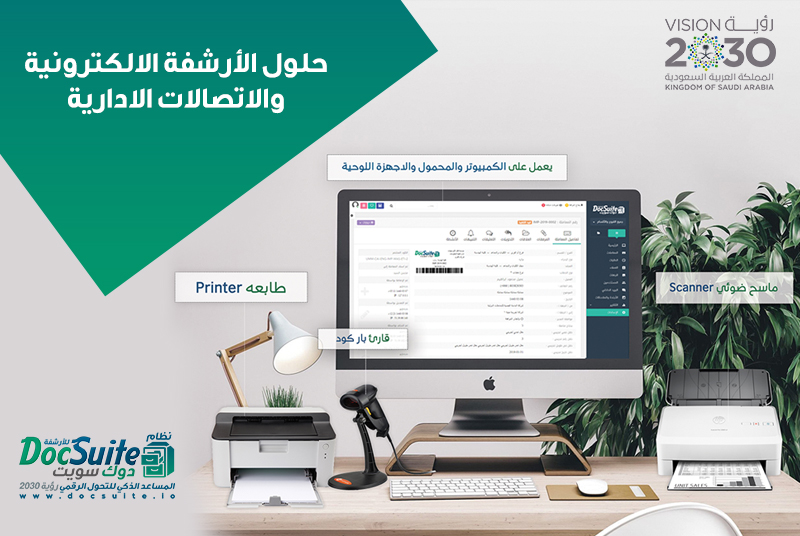
DocSuite is an electronic document management and archiving system designed to help organizations organize, store, retrieve, and control business documents. By reducing dependence on paper files, teams can access information more efficiently while applying consistent permissions and document procedures.
A document management system should do more than store scanned files. It should support the complete document lifecycle, including capture, classification, search, access, review, change tracking, retention, and authorized disposal.
Centralized Document Management
DocSuite provides a structured location for documents and related information. Centralization helps prevent files from being scattered across employee computers, email attachments, shared folders, and physical cabinets.
Users can classify documents according to the organization’s departments and business needs. A consistent structure makes retrieval easier and supports clearer responsibility for records.
Access Across Supported Platforms
Organizations increasingly need employees to work through different devices and locations. Multi-platform access can allow authorized users to reach the system through supported web, desktop, or mobile environments.
Before deployment, the organization should verify device compatibility, browser requirements, mobile functions, network capacity, and the controls applied to remote access.
Arabic and English Language Support
A bilingual interface can improve usability for organizations whose employees work in Arabic and English. Language support should extend to menus, search, document metadata, reports, and user guidance where required.
Alerts and Notifications
Notifications help users follow important events without repeatedly checking the system. Depending on configuration, alerts may inform authorized users about newly added documents, review requests, approvals, changes, deadlines, or expiring access rights.
Effective notifications should be relevant and assigned to the correct roles. Too many unnecessary alerts can make important events easier to miss.
User Permissions and Access Control
Document systems often contain confidential business information. Role-based permissions can restrict access by department, document type, folder, action, or workflow stage. Users should receive only the access necessary for their responsibilities.
- Control who can view, add, edit, download, print, or delete documents.
- Separate administrative permissions from daily user access.
- Review access when employees change roles or leave the organization.
- Apply stronger controls to sensitive legal, financial, and personnel records.
Audit Trails and Accountability
An audit trail records significant user activity, such as document creation, modification, access, approval, movement, or deletion. This history supports internal reviews, investigations, and compliance processes.
Organizations should define which events must be logged, how long logs are retained, and who is authorized to review them.
Search and Retrieval
A well-organized archive allows users to find documents through filenames, reference numbers, dates, categories, departments, keywords, and other metadata. Search quality depends on consistent classification and accurate data entry.
Organizations should define naming and indexing standards before migrating large document collections.
Version Control
When several employees work with the same document, version control helps distinguish the current approved copy from earlier drafts. It can preserve revision history and reduce the risk of decisions being made from outdated information.
Workflow and Approval Support
Electronic workflows can route documents to the correct employees for review, approval, comment, or action. Defined steps and deadlines make responsibilities clearer and reduce delays caused by manual circulation.
Security, Backup, and Continuity
Document protection requires more than passwords. Organizations should evaluate authentication, encryption, permissions, audit logs, backups, recovery testing, hosting, updates, and incident response.
A continuity plan should explain how essential documents can be accessed or restored after technical failure, cyber incidents, or other disruptions.
How to Evaluate an Electronic Archiving System
- Map document processes: Identify document sources, categories, owners, approvals, retention periods, and access rules.
- Test retrieval: Confirm that users can find documents quickly using realistic searches.
- Review permissions: Test access for different departments and employee roles.
- Evaluate workflows: Simulate approvals, revisions, deadlines, and exceptions.
- Confirm migration: Agree on scanning, indexing, quality checks, and transfer of existing digital files.
- Assess security: Review backups, recovery, logging, authentication, and administrative controls.
- Plan training: Provide guidance on naming, classification, search, permissions, and daily procedures.
Implementation Matters
The value of an electronic document management system depends on how it is configured and used. Clear policies, accurate metadata, suitable permissions, trained employees, and regular audits are necessary for dependable results.
Organizations evaluating DocSuite should test it against their own document types, approval processes, security requirements, and reporting needs. A structured pilot can reveal configuration changes before full deployment.
Add New Comment