
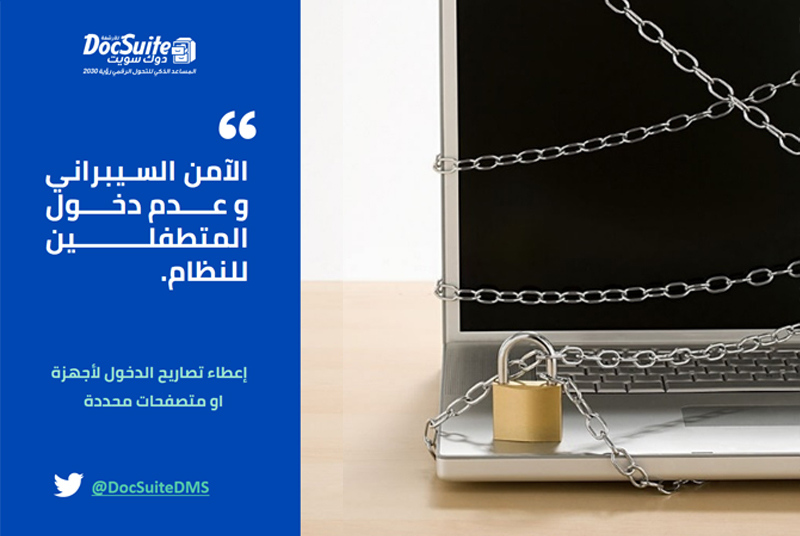
How Document Management Systems Help Protect Business Data
Business documents may contain financial records, contracts, customer information, employee data, intellectual property, and operational plans. Unauthorized access, accidental disclosure, theft, alteration, or loss can interrupt operations and damage customer trust.
An electronic document management system can strengthen protection by centralizing records and applying consistent access, logging, version, and retention controls. It is not a complete cybersecurity solution by itself, but it can become an important part of a broader information-security program.
Why Uncontrolled Documents Create Risk
Paper files, email attachments, personal devices, and unstructured shared folders make it difficult to know who has access or which copy is current. Sensitive documents may be duplicated, misplaced, printed, or sent without adequate oversight.
A breach can create financial loss, operational disruption, legal exposure, reputational harm, and reduced customer confidence.
Centralized and Structured Storage
A document management system provides an approved location for business records. Documents can be organized by category, department, reference number, owner, date, sensitivity, and retention requirement.
Centralization reduces dependence on individual devices and makes security policies easier to apply consistently.
Role-Based Access Control
Employees should receive only the access necessary for their responsibilities. Permissions can restrict viewing, editing, downloading, printing, sharing, approving, or deleting documents.
- Separate administrative privileges from ordinary user roles.
- Apply stricter rules to legal, financial, personnel, and customer records.
- Review access regularly and after job changes.
- Remove accounts promptly when employment or contracts end.
Strong Authentication
Individual user accounts establish accountability. Strong passwords, multi-factor authentication, secure session settings, and controlled recovery procedures reduce the risk of unauthorized account use.
Shared accounts should be avoided because they make activity difficult to trace.
Encryption and Secure Connections
Encryption can protect documents while stored and during transfer. Organizations should review how the system manages encryption keys, secure connections, backups, mobile access, and downloaded files.
Encryption is most effective when combined with permissions, device security, monitoring, and employee awareness.
Audit Trails
Audit logs can record document creation, viewing, editing, approval, movement, download, and deletion. This history helps organizations investigate incidents, review unusual activity, and demonstrate internal control.
Logs should be protected against unauthorized changes and retained according to an approved policy.
Version Control and Integrity
Version control identifies the current document and preserves earlier revisions where required. It reduces the risk of employees using outdated or unauthorized copies.
Approval states and locked versions can distinguish drafts from official records.
Controlled Sharing
Sending attachments can create uncontrolled copies. A document management system may allow authorized users to share controlled access, apply expiration dates, restrict actions, and revoke access when it is no longer needed.
External sharing should follow a documented approval and monitoring process.
Retention and Secure Disposal
Keeping information longer than necessary can increase exposure. Retention schedules define how long different records remain available and when authorized disposal occurs.
Deletion should follow legal, regulatory, contractual, and business requirements. Relevant records must not be destroyed when a legal hold or investigation applies.
Backups and Recovery
Protected backups help restore documents after failure, accidental deletion, ransomware, or other incidents. Copies should be separated from the primary environment and restoration should be tested regularly.
Recovery plans should prioritize critical records and identify responsible personnel, expected restoration times, and validation steps.
Notifications and Security Monitoring
Alerts may notify administrators about unusual downloads, repeated failed access, permission changes, deletion, or other significant events. Effective monitoring requires clear thresholds and a defined response process.
Employee Responsibilities
Technology cannot prevent every incident. Employees should understand classification, approved storage, secure sharing, phishing risks, reporting procedures, and the consequences of bypassing controls.
Document Security Checklist
- Classify documents by sensitivity and business value.
- Assign owners and least-privilege permissions.
- Use individual accounts and multi-factor authentication.
- Protect data in storage and during transfer.
- Enable audit trails and review significant activity.
- Control versions, approvals, downloads, and external sharing.
- Apply retention and secure-disposal rules.
- Maintain protected backups and test recovery.
- Update the system and address vulnerabilities promptly.
- Train employees and test incident-response procedures.
Conclusion
Electronic document management strengthens information protection by applying structure, permissions, accountability, and lifecycle controls. The best results come when the system is integrated with the organization’s wider cybersecurity, privacy, continuity, and governance practices.
Add New Comment