
Seven Benefits of Electronic Archiving for Individuals and Organizations
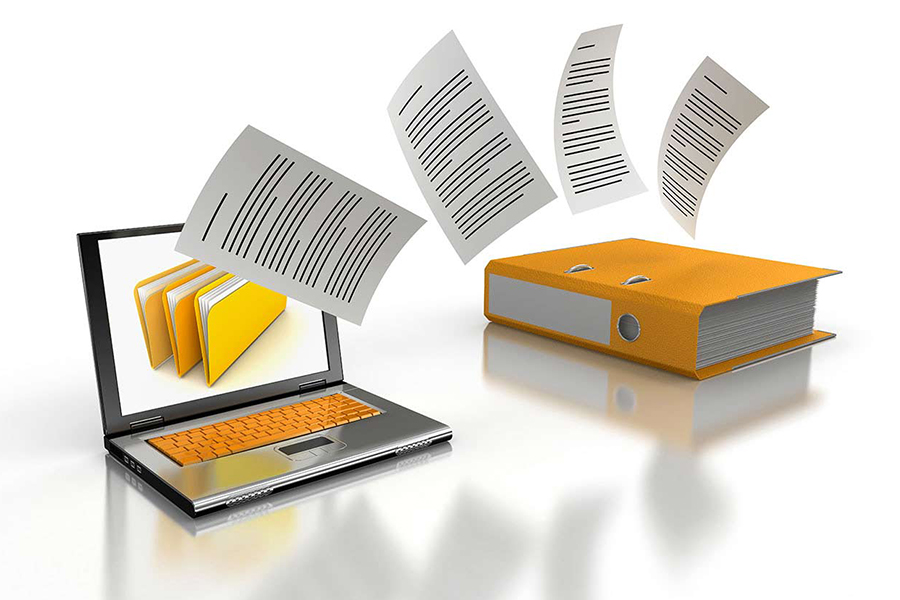
Electronic archiving preserves documents and other records on digital media so they can be organized, protected, searched, and retrieved over time. It can include files created digitally, such as emails and spreadsheets, as well as paper documents converted through scanning.
A reliable archive is more than a folder of files. It applies classification, metadata, access controls, retention rules, audit trails, backups, and retrieval tools so information remains useful and trustworthy throughout its required lifecycle.
What Is Electronic Archiving?
Electronic archiving is the controlled long-term storage of digital records. Its purpose is to preserve content, context, authenticity, and accessibility for business, legal, historical, or personal needs.
Document management supports active creation, collaboration, editing, and workflow. An archive typically focuses on finalized or inactive records that must be retained without unauthorized change. Some systems combine both capabilities.
Common Types of Archived Content
An electronic archive may contain office documents, PDFs, emails and attachments, invoices, contracts, images, audio, video, correspondence, reports, approvals, and scanned paper records. The organization should determine which content qualifies as an official record and which copy is authoritative.
File formats should be selected with long-term readability in mind. Records may need planned migration when software or storage technology changes.
Five Principles of Reliable Digital Archiving
Durability
Records should remain readable and usable throughout their retention period. Storage health, backups, format support, and migration plans contribute to durability.
Confidentiality
Only authorized people should access sensitive records. Permissions, secure authentication, encryption where appropriate, and monitoring protect confidentiality.
Retrievability
Documents must be searchable and recoverable when required. Consistent metadata, indexes, classifications, and tested recovery procedures make retrieval dependable.
Availability
Authorized users should be able to obtain records within the time required for work, audits, or legal requests. Availability needs resilient infrastructure and business-continuity planning.
Integrity
The organization should be able to demonstrate that a record has not been altered without authorization. Audit trails, version controls, timestamps, checks, and controlled preservation processes support integrity.
Seven Benefits of Electronic Archiving
1. Stronger Information Protection
Individual accounts, multifactor authentication, role-based permissions, audit logs, protected connections, and backups provide stronger control than open filing cabinets or shared folders. Security still requires regular review and incident-response planning.
2. Faster Search and Retrieval
Users can search by title, date, type, reference, department, customer, or other metadata. Full-text search may locate information inside documents. Faster retrieval saves time and improves service.
3. Lower Storage and Handling Costs
Digital records reduce the need for physical cabinets, rooms, copying, and manual delivery. Costs remain for systems, scanning, storage, support, security, and backups, but these can be planned and scaled more efficiently.
4. Better Compliance and Accountability
Retention rules can prevent premature deletion and trigger review or disposal when periods expire. Audit histories show who created, viewed, changed, approved, or archived a record, supporting internal control and external audits.
5. Reduced Legal and Operational Risk
Complete, traceable records can provide evidence about decisions, quality, safety, delivery, and compliance. Controlled access and legal holds help protect important information during disputes or investigations.
6. Sustainable Work Practices
Reducing printing, copying, and physical transport supports lower paper consumption. Sustainability benefits are strongest when organizations also manage energy use, equipment lifecycles, and responsible disposal.
7. Easier Collaboration and Continuity
Authorized users can access consistent records from approved locations without passing physical files. This supports distributed work and helps operations continue when an office or paper archive is inaccessible.
Steps to Create a Digital Archive
1. Define Scope and Objectives
Identify the records to preserve, business needs, legal requirements, users, volumes, and expected retrieval times.
2. Create a Classification Structure
Define categories, naming rules, metadata, reference numbers, and relationships between records. The structure should be understandable and scalable.
3. Set Retention and Access Rules
Determine how long each record type is kept, who can access it, when disposal is allowed, and when a legal hold overrides normal rules.
4. Select the System
Evaluate search, formats, permissions, audit trails, workflow, integration, scalability, security, backup, export, and vendor support.
5. Digitize and Validate
Scan required paper documents using defined quality standards. Verify readability, completeness, orientation, metadata, and association with the correct record.
6. Migrate Carefully
Clean duplicates and test migrated records before decommissioning old repositories. Maintain evidence of completeness and integrity.
7. Operate and Review
Train users, monitor access, test backups and recovery, review retention schedules, and audit the archive regularly.
Safe Disposal of Paper and Digital Records
Physical originals should not be destroyed automatically after scanning. Legal, regulatory, evidentiary, and operational requirements must be reviewed first. Authorized disposal should be documented and performed securely.
Digital deletion should also follow approved retention and legal-hold rules. Copies in backups, exports, and connected systems must be considered.
Conclusion
Electronic archiving helps individuals and organizations protect information, retrieve records faster, reduce handling costs, support compliance, limit risk, improve sustainability, and maintain continuity. Its benefits depend on disciplined classification, retention, security, validation, and long-term preservation—not simply storing files digitally.
Comments
08 Jun 2023 02:55 AM
Mh_2022
بالتوفيق
08 Jun 2023 02:57 AM
MAYA
شكرا للافادة
08 Jun 2023 02:59 AM
فهد
يارك الله جهودكم
Add New Comment